

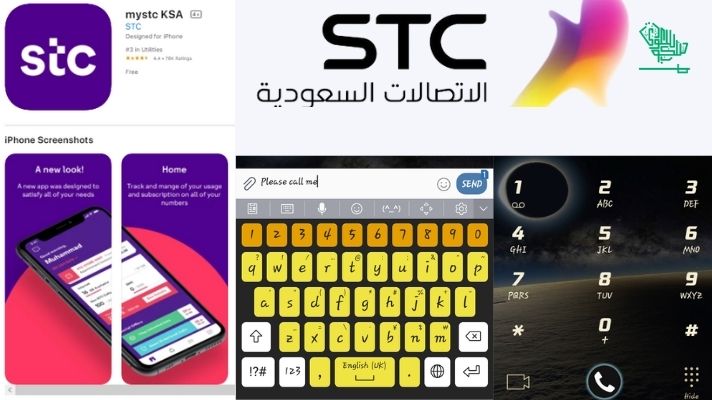
Quick Answer
The fastest way to check your STC SIM number in Saudi Arabia is to dial *150# from your phone and press call. Your number appears on screen in seconds. No internet, no balance, and no app needed. Works on all phones, including basic handsets.
If Arabic appears on screen, press 2 for English.
Quick Facts
- Primary USSD code: Dial *150#
- Alternative USSD: Dial *166# for balance and number details on some STC SIMs
- Free SMS method: Dial *177*[friend’s STC number]# to send a free “Please Call Me” request
- Via mySTC App: Your number appears on the dashboard after login
- Via phone settings: Settings > About > SIM > Phone Number
- CST/CITC portal: View all SIMs linked to your Iqama at mutasil.cst.gov.sa
- Customer care: Dial 900 free from any STC number
- SIM limit (expats): Maximum 2 SIMs per Iqama under CST regulations
- Balance check: Dial *166# or send 2220 to 900
- Works on prepaid: Yes
- Works on postpaid: Yes
- Works without balance: Yes — *150# and *177* methods work even with zero balance
Why You Might Need Your STC Number
Forgetting your own mobile number happens more often than most people expect. In Saudi Arabia, it is especially common when you have just activated a new STC SIM, inserted your SIM into a new phone or router, or returned from travel and switched back to your Saudi number. According to a 2025 regional telecom survey, over 31% of mobile users in Saudi Arabia forget their number at least once a year.
Here are the situations where knowing your exact STC number matters most:
Setting up Absher and government apps: Absher, Tawakkalna, Muqeem, and Nafath all require a verified mobile number linked to your Iqama. You need the exact number before starting registration.
Opening a Saudi bank account: Al Rajhi, SNB, Riyad Bank, and most Saudi banks require a verified Saudi mobile number for OTP authentication during account setup.
STC top-up and package activation: Recharging your SIM via SADAD, the mySTC app, or a voucher all ask for your exact number.
WhatsApp, Signal, and OTP-based apps: When setting up a messaging app on a new phone, your STC number is needed for verification.
Giving your number to an employer or sponsor: Your sponsor needs your active Saudi mobile number for Iqama-linked services, government filings, and HR records.
Reporting a lost or stolen SIM: STC customer care at 900 asks you to confirm your number before suspending or replacing a SIM.
CST SIM limit compliance: If you are getting a new SIM and are near the 2-SIM limit for expats, checking all registered numbers under your Iqama first avoids refusal at the counter.
Method 1: Dial *150# (Fastest, Works on All Phones)
This is the primary and most reliable method, officially provided by STC. It takes under five seconds and works with no internet connection and no balance.
Steps:
- Open your phone’s dialer
- Type *150# exactly (asterisk, 150, hash)
- Press the call button
- A screen message appears. If it is in Arabic, press 2 for English
- Your STC mobile number is displayed on the screen
- Note it down or take a screenshot before dismissing
Works on: All phones, including basic feature phones, Android, iPhone, and dual-SIM devices.
Balance required: No. This code works at zero balance.
Tip for dual-SIM phones: When your phone asks which SIM to use before dialing, make sure you select your STC SIM. On Android, check Settings > SIM Management to confirm which slot your STC SIM is in.
Method 2: *166# (Balance and Number Check)
*166# is STC’s primary balance check code, but on many STC SIMs, it also displays your number alongside your remaining credit and data balance.
Steps:
- Open your dialer
- Dial *166# and press call
- The screen shows your balance, remaining data, and your STC mobile number together
This is a useful shortcut for checking your balance and confirming your number at the same time.
Method 3: Free “Please Call Me” Message via *177*
STC allows you to send a free notification to any STC number. The recipient receives an SMS that includes your STC number, which they can read back to you.
Steps:
- Open your dialer
- Dial *177*[friend’s STC number]# and press call
Example: To send to 0501234567, dial *177*0501234567#
- Your friend receives an SMS from STC saying “Please call me back,” along with your number displayed as the sender
- Ask them to read your number back to you
Daily limit: Up to 10 free “Please Call Me” messages per day.
Works with zero balance: Yes. This is one of the few actions that work when your prepaid balance has run out completely.
Limitation: Requires another person to be available to read the number back. Not useful when you are alone or need the number immediately.
Method 4: Check via the mySTC App
The mySTC app is STC’s official self-service application and shows your full account details, including your SIM number, on the main dashboard.
Steps for Android:
- Open the Google Play Store and search “mySTC.”
- Install the official mySTC app by Saudi Telecom Company
- Open the app and tap Login
- Log in with your STC account. If you do not have an account, tap Register and use your Iqama number and STC mobile number to sign up
- After login, go to Dashboard or Manage Numbers
- Your STC number is displayed at the top of your account overview
Steps for iPhone:
- Open the App Store and search “mySTC.”
- Download and install the app
- Log in or register as above
Additional features: The mySTC app also shows your data usage, active plans, bill history, recharge options, and lets you activate or cancel packages. It supports Face ID and fingerprint login.
Useful when abroad: If you are outside Saudi Arabia and your STC SIM is not active for calls or USSD, the mySTC app works over Wi-Fi or any data connection to show your number and account details.
Method 5: Check in Phone Settings (No Network Needed)
Your phone may have stored your STC number in its system settings from the moment you inserted the SIM. This method works offline and requires no signal or balance.
On Android:
- Open Settings
- Tap About Phone or About Device
- Tap SIM card information or SIM status
- Your phone number is listed under “Phone Number” or “My phone number.”
If the field shows “Unknown,” your SIM number was not automatically stored by the device. Use another method.
On iPhone (iOS):
- Open Settings
- Tap General
- Tap About
- Scroll to find the phone number linked to your SIM
On iPhones running two lines (physical SIM + eSIM), both numbers are listed separately under their carrier name. Look for “STC” to identify your Saudi number.
Method 6: Call STC Customer Care at 900
If all other methods fail or you are having trouble with your SIM, STC’s customer care team can confirm your number after verifying your identity.
Steps:
- Open your dialer
- Dial 900 from your STC SIM (free call, no balance needed)
- Follow the IVR menu in Arabic or English
- Press 1 to be served on the number you are calling from
- You will hear your STC number read back to you in the IVR prompt, or a customer care agent will confirm it after verifying your Iqama number
- Note your number before hanging up
From another network: Call 920001000 (STC helpline reachable from Mobily, Zain, and other networks; standard call rates may apply).
Customer care hours: Available 24 hours a day, 7 days a week.
Method 7: Call a Contact or Use WhatsApp
A fast workaround when you are near another person or device:
Call a contact: Call any friend, family member, or colleague from your STC SIM. Your number appears on their screen as the incoming caller ID. Ask them to read it back.
WhatsApp: If your STC SIM is linked to WhatsApp, open WhatsApp, go to Settings, and your registered number is displayed at the top of your profile.
Missed call method: If you do not want to speak, call a contact and hang up immediately. Your number appears in their missed calls list. Ask them to check and share it with you.
Method 8: Check the Original SIM Packaging
When you purchased your STC SIM at a store or airport kiosk, the full 10-digit Saudi mobile number was printed on the SIM card holder sleeve or the receipt.
If you still have the original packaging, your number is printed there. Take a photo of any future SIM packaging immediately after purchase and save it to your phone’s gallery or cloud storage for reference.
Method 9: CST Mutasil Portal (Check All SIMs on Your Iqama)
The CST (Communications, Space and Technology Commission) Mutasil portal shows every SIM card registered under your Iqama across all operators in Saudi Arabia, not just STC. This is the most comprehensive check and the recommended method to verify all your registered numbers.
Steps:
- Go to mutasil.cst.gov.sa or the national portal at my.gov.sa
- Click on “Inquire About My Numbers” or select the SIM inquiry service
- Enter your Iqama number or national ID
- Verify your identity via OTP sent to a registered mobile number
- The portal lists every SIM registered in your name, showing the full number, operator (STC, Mobily, Zain, or others), and registration date
2026 update on Absher and CITC: As of 2026, Absher no longer has a native SIM check feature. The old Absher-integrated SIM verification has been phased out and replaced by the unified CST Mutasil system. When you navigate to Telecom Services in Absher, you are redirected to the CST portal to complete the check.
Why this matters for STC users: CST regulations limit expats to 2 SIM cards total across all operators. Checking the CST portal confirms whether all your registered SIMs are accounted for, flags any unauthorized registrations, and provides a complete list if you have multiple numbers.
CST support: Call 19966 (available 24 hours, Arabic and English) for help with the portal.
All Methods at a Glance
| Method | Requires Internet | Requires Balance | Works on All Phones | Works Abroad |
|---|---|---|---|---|
| *150# USSD | No | No | Yes | Sometimes |
| *166# USSD | No | No | Yes | Sometimes |
| *177* free SMS | No | No | Yes | No |
| mySTC App | Yes | No | Smartphone only | Yes (Wi-Fi) |
| Phone settings | No | No | Most phones | Yes |
| Call 900 | No | No (free call) | Yes | No |
| Call a contact | No | Depends on plan | Yes | No |
| SIM packaging | No | No | Not applicable | Yes |
| CST Mutasil portal | Yes | No | Any browser | Yes |
Troubleshooting: What to Do If *150# Does Not Work
Error or no response: Move to an area with a better STC signal. USSD codes require a live network connection. Basements, remote areas, and some buildings with poor coverage can block USSD. Step outside and try again.
The menu appears in Arabic, and you cannot navigate: Press 2 for English. If your phone keypad is not registering the press, try entering 2 and pressing the send button on the USSD pop-up.
Dual-SIM: wrong SIM selected: Your phone dialed from Mobily or Zain instead of STC. Check Settings > SIM Management and confirm which SIM is set as the default for calls. Select the STC SIM and retry.
SIM not responding at all? Remove the SIM, gently clean the gold contacts with a soft cloth, reinsert it, and restart your phone. If the SIM still does not respond, the SIM card itself may be damaged. Visit an STC branch for a free replacement.
eSIM users: *150# works on STC eSIMs in the same way as physical SIMs. If it is not working, ensure your eSIM profile is active and set as the default calling line. The mySTC app is the most reliable alternative for eSIM number retrieval.
Recently changed to a new phone: If you just transferred your SIM, USSD may take a few minutes to register on the new device. Wait 5 minutes and try again.
Important: STC SIM Registration Limits in Saudi Arabia 2026
Under CST regulations, the number of SIM cards you can register in Saudi Arabia depends on your status:
| Category | SIM Limit |
|---|---|
| Saudi citizens | Up to 10 SIMs |
| Expatriates (Iqama holders) | 2 SIMs across all operators |
| Tourists and visitors | 1 to 2 SIMs per visit |
Both prepaid and postpaid SIMs count toward the expat limit. If you try to purchase a new STC SIM and already have 2 registered across STC, Mobily, and Zain, the registration will be refused. Check your registered numbers on the CST Mutasil portal before visiting a store.
Frequently Asked Questions
Dial *150# and press call. Your STC number appears on screen in seconds. No balance or internet needed. If the display is in Arabic, press 2 to switch to English. This works on all phones, including basic handsets.
Yes. *150# works with zero balance. The free “Please Call Me” feature (*177*[friend’s number]#) also works with no balance. The mySTC app works over Wi-Fi without consuming your SIM balance.
Yes. *150# retrieves the number on all STC SIM types: prepaid Sawa, postpaid Mofawtar, Quicknet data SIM, and STC eSIM.
Three options: dial *150# from the Phone app, check Settings > General > About > Phone Number, or log in to the mySTC app and view your Dashboard. On iPhones with dual SIM, look for the “STC” label next to the number.
The mySTC app is the best option abroad. It works over any Wi-Fi or data connection and shows your full account details, including your number. Checking phone settings (Settings > About) also works offline from any location.
Visit the CST Mutasil portal at mutasil.cst.gov.sa, log in with your Iqama, verify with an OTP, and the portal will list all SIMs registered in your name across all operators. Note that as of 2026, the old Absher-native SIM check has been replaced by the CST portal.
Dial 900 free from any STC SIM, available 24 hours. From other networks or abroad, call 920001000. Customer care is available in Arabic and English.
Expatriates can register a maximum of 2 SIMs total across all operators in Saudi Arabia under CST regulations. Both prepaid and postpaid lines count toward this limit. Check your current registered numbers on the CST Mutasil portal before applying for a new SIM.
Yes. Dial *177*[a friend’s STC number]# and press call. Your friend receives an SMS that includes your number as the sender. You can send up to 10 of these free messages per day, even with zero balance.
Try *166# as an alternative. If that also fails, check your signal, confirm the correct SIM is selected on dual-SIM phones, and restart your device. Use the mySTC app over Wi-Fi as a backup. If the SIM still does not respond, visit an STC branch for assistance.
Summary: Check Your STC Number in 10 Seconds
Open your dialer, type *150#, and press call. Your STC number appears on screen immediately. No balance, no internet, no app required.
Save your number as a contact under “My STC Number” once retrieved, so you never need to look it up again.
Related STC guides on Saudi Scoop:
- STC Postpaid Plans Saudi Arabia 2026 for Quicknet and Mofawtar monthly plans
- How to Buy a SIM Card in Saudi Arabia 2026 for registration and purchase guide
- Visitor SIM Card Packages Saudi Arabia 2026 for tourist and pilgrim SIM options
DISCLAIMER: This article is for informational purposes only. STC codes and procedures are verified as of May 2026. Saudi Scoop is not affiliated with STC. Always verify current procedures at stc.com.sa or by calling 900 if you encounter issues.

Aleena Tanveer is a dentist, author, and writer with a passion for both healthcare and storytelling. She combines her medical expertise with her love for writing to create informative, engaging content that educates and inspires readers.